Tools and providers
Part of When to bring product photography tools and providers together for UK retail teams
How to choose product photography best tools for an ecommerce studio
A practical way to compare product photography best tools in England, from camera tethering to retouching, asset storage and ad delivery, with a buyer checklist.
What to take away
- Shortlist tools by job, not brandcapture and tethering, editing, asset management, then ad delivery.
- Worth a demonstrationCapture One Pro and Lightroom Classic for tethering, Photoshop and Affinity Photo for retouching, Bynder and Canto for assets, Feedonomics or Channable for feeds.
- Two filters decide the shortlistmonthly image volume with peak weeks, and whether the vendor will evidence UK data protection controls for client files.
- Convert every quote to a monthly cost at your own volume, then check overage, minimum term and library export.
- Run a paid pilot on your own images, normally two to four weeks, before signing.
What counts as a product photography tool
The term covers four separate jobs. Capture and tethering software links a camera to a laptop. Editing suites handle colour and retouch. Digital asset management stores and tags files for reuse. Ad platforms push finished images to marketplaces and social channels.
Most English studios need at least two of the four. One product rarely covers everything once a catalogue passes a few hundred frames a month.
Two filters come before any demonstration. Does it handle your monthly image count and peak weeks? Will the vendor evidence security controls for client files?
Client imagery usually belongs to the retailer, so storage and deletion carry the same weight as picture quality. The ICO's guidance on protecting client image and data assets sets out what a buyer may ask.
Tool categories and roles
Capture software
- Primary job
- Tether camera to laptop
- Key check
- Camera support
- Compliance link
- Client data
Editing & retouch
- Primary job
- Colour and retouch
- Key check
- 100% zoom rendering
- Compliance link
- Client data
Asset management
- Primary job
- Store and tag assets
- Key check
- Search speed
- Compliance link
- ICO security
Ad platforms
- Primary job
- Carry images to buyers
- Key check
- Naming rules
- Compliance link
- IAB UK workflow
Capture and tethering tools worth a demo
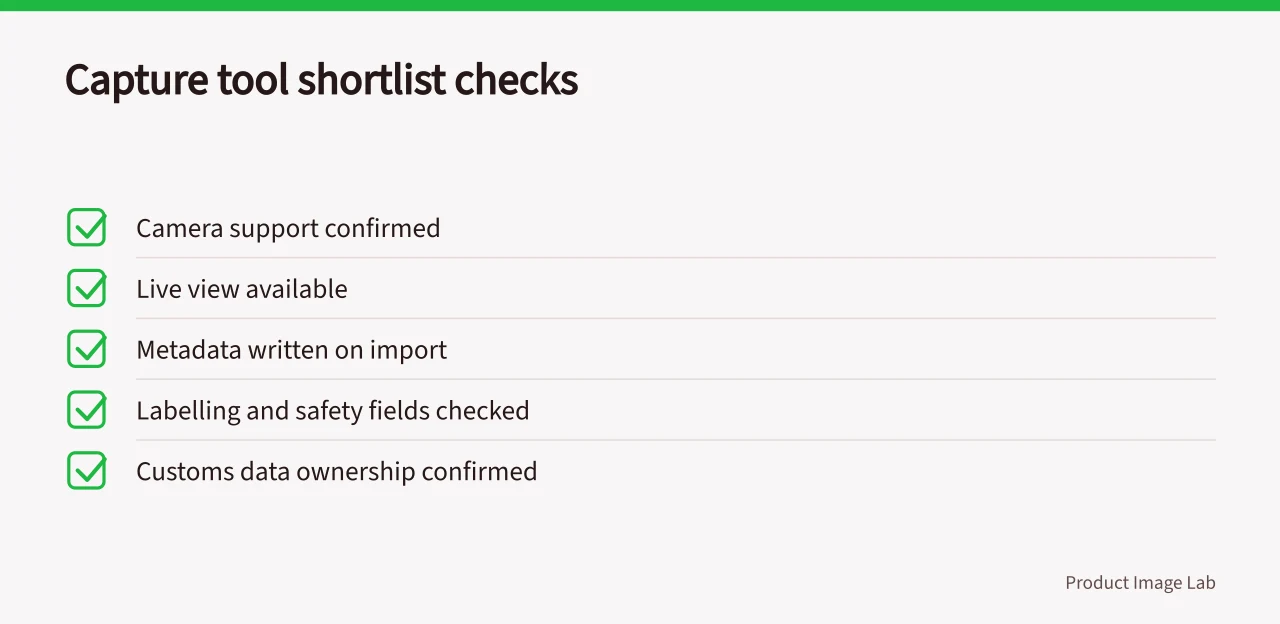
Tethering sends each frame straight to a folder, so a stylist can approve a shot while the set still stands. Camera support, live view and metadata writing on import matter more than interface polish.
Run these five checks before you book anything:
- Does it support your camera body and raw format?
- Does it hold a tether for a full catalogue day?
- Does it write product code and colourway into metadata on import?
- Can a second seat review and approve live?
- What happens to session files if the licence lapses?
Capture One Pro, Lightroom Classic and Hasselblad Phocus cover most studio setups. On Windows, digiCamControl is a free starting point for small catalogues. If you are weighing software against outsourcing, the product photography tools and supplier guide for 2027 sets the buying stages in order.
Editing and retouching tools compared
Best fit
- Adobe Photoshop
- Mixed creative retouch
- Lightroom Classic
- Volume colour correction
- Capture One Pro
- Colour-critical studio work
- Affinity Photo
- Tight budgets, occasional retouch
Licence model
- Adobe Photoshop
- Monthly subscription
- Lightroom Classic
- Monthly subscription
- Capture One Pro
- Subscription or perpetual
- Affinity Photo
- Perpetual licence
Test three things at 100 per cent zoom: fabric texture, colour profile handling, and how each tool exports web-ready files. Ask whether edits stay non-destructive and whether presets travel between seats.
Asset management tools and the time they save
Asset management is where most teams lose hours. Bynder, Canto, Brandfolder and Pics.io sell per seat with storage tiers. ResourceSpace is open source.
Tag by product code, colourway and usage rights, then serve the right crop to each channel. Test search speed inside your own library and permission levels per client. If rollout stalls after purchase, the product photography tool implementation in England walkthrough covers training and metadata standards.
Ad and feed delivery platforms
Feed platforms carry finished images and copy into retail channels. Feedonomics, Channable, DataFeedWatch, GoDataFeed and Shoptimised price per SKU, per feed or per channel volume.
Their naming and scheduling rules dictate what your asset system must output. The IAB UK programmatic guide for visual ad procurement explains the workflow media buyers use.
Example pilot scoring for a 3,000-image catalogue
Weighted scores beat gut feel.
Example pilot scoring
- Score each tool out of five for volume fit, security evidence, integration and monthly cost.
- Double the weight on volume and security if client work dominates your order book.
- Push 20 of your own frames through the leader and time the export.
- Compare the result against your current process.
An illustrative comparison: £400 a month for editing seats plus £150 for storage, set against £2 per image across 3,000 images. Confirm VAT treatment on software subscriptions with your accountant.
Terms to check before signing
- Written quote in pounds, with seat limits and storage tiers.
- Overage fees, minimum term and renewal price rises.
- Library export format and cost on exit.
- Named UK support hours and escalation route.
Cross-border sales add a second layer. The VAT and labelling amendments for specified services show how quickly rules shift for studios selling through EU channels. For the money side, the product photography budget template in England turns these line items into a monthly figure.
Common questions
Do I need one tool or several?
Most teams need at least two: capture or editing, plus storage and delivery. One product covers both only when it matches your volume.
Can free tools handle ecommerce photography?
Free editors cope with small catalogues, but they rarely offer audit trails, per-client permissions or dependable batch export. They suit tests, not client work.
How long should a pilot run?
Long enough to cover a full catalogue cycle, usually two to four weeks. Judge it on export accuracy, minutes per image and how fast a new user becomes productive.
What should I ask references?
Ask about onboarding time, support response, renewal price rises, and whether exporting the full library was straightforward.